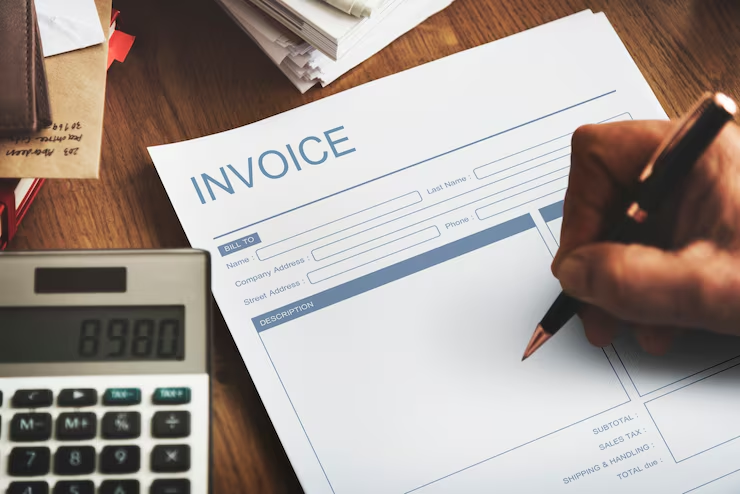
Creating an invoice doesn’t have to be complicated, and getting it right means you’ll get paid faster and avoid awkward follow-up conversations with clients.
This guide is perfect for freelancers, small business owners, and entrepreneurs who want to streamline their billing process and improve cash flow. You’ll learn the must-have elements that make invoices clear and professional, plus discover which creation method works best for your business size and needs.
We’ll walk you through writing descriptions that prevent client confusion, setting up payment options that make it easy for customers to pay you quickly, and spotting the common mistakes that can delay your money for weeks.
Essential Invoice Elements That Get You Paid Faster
Include Your Business Information and Professional Logo
Your business information serves as the foundation of your invoice and immediately establishes credibility with clients. You need to display your company name prominently at the top of your invoice, followed by your complete business address, phone number, and email address. This information shouldn’t be hidden in small print – make it easy to find and read.
Adding your professional logo transforms a basic invoice into a branded document that reinforces your business identity. Your logo doesn’t need to be huge, but it should be clear and positioned where it catches attention without overwhelming other important details. If you don’t have a logo yet, don’t let that stop you from creating invoices – you can always add one later.
Include your business registration number, tax identification number, or any other legally required identifiers based on your location and business structure. These numbers might seem like administrative details, but they’re often required for your clients’ accounting processes and can speed up payment approval.
Add Clear Client Contact Details and Billing Address
You must capture your client’s complete information to avoid payment delays and processing confusion. Start with the correct company name exactly as it appears on their official documents – even small spelling errors can cause problems with their accounts payable department.
Your client’s billing address should match their accounting records precisely. If you’re unsure about the correct billing information, ask your client contact to confirm these details before sending your first invoice. Many businesses have separate billing addresses from their physical locations, and using the wrong address can send your invoice into an administrative black hole.
Don’t forget to include the name and contact information of your primary client contact. This person becomes your go-to when you need to follow up on payments or clarify invoice questions. Having their direct email and phone number saves you time and helps you avoid getting lost in general company contact systems.
Create Unique Invoice Numbers for Easy Tracking
Your invoice numbering system becomes your financial tracking backbone, so you need a method that works for both you and your clients. Start with a simple sequential system – Invoice #001, #002, #003 – if you’re just beginning. As your business grows, you might want to incorporate dates or client codes into your numbering system.
Sequential numbering shows professionalism and helps you track how many invoices you’ve sent over time. Your clients’ accounting departments also prefer sequential numbers because they can easily identify missing invoices and maintain proper records for auditing purposes.
Consider adding prefixes or suffixes to your invoice numbers for different types of work or clients. For example, you might use “WEB-001” for web design projects and “CONS-001” for consulting services. This system helps you organize your invoices and makes it easier to analyze your income sources.
Set Clear Payment Terms and Due Dates
Your payment terms directly impact how quickly you get paid, so you need to be specific and realistic. Common payment terms include “Net 30” (payment due within 30 days), “Net 15” (15 days), or “Due upon receipt” for immediate payment. Choose terms that work for your cash flow needs while remaining reasonable for your client’s payment processing timeline.
State your due date clearly using both words and numbers – “Payment due within 30 days of invoice date” along with the specific calendar date. This removes any confusion about when payment is expected and gives your client a clear deadline to work with.
Include information about late payment penalties if you charge them, but make sure these fees comply with local laws and any contracts you have with clients. You might also want to mention early payment discounts if you offer them – something like “2% discount if paid within 10 days” can encourage faster payment and improve your cash flow.
Choose the Right Invoice Creation Method for Your Business
Use Free Online Invoice Generators for Quick Setup
When you’re just starting out or handling occasional invoicing needs, free online invoice generators offer the perfect balance of simplicity and functionality. These platforms let you create professional-looking invoices within minutes without spending a dime or learning complex software.
Popular options like Invoice Simple, Zoho Invoice (free tier), and Wave provide intuitive drag-and-drop interfaces that make invoice creation feel almost effortless. You simply input your business details, add line items, and customize the design to match your brand. Most generators automatically calculate totals, taxes, and discounts, eliminating math errors that can make you look unprofessional.
The biggest advantage? You can access these tools from anywhere with an internet connection. Whether you’re at a client meeting, working from a coffee shop, or traveling, you can generate and send invoices on the spot. Many platforms also offer mobile apps, so you can literally invoice clients while standing in their office after completing a project.
However, free generators do come with limitations. You’ll typically face restrictions on the number of invoices per month, limited customization options, and basic reporting features. Some platforms add their branding to your invoices, which might not align with your professional image. Storage space is often limited too, so you’ll need to manage your invoice history carefully.
Download Professional Invoice Templates
If you prefer working offline or want more control over your invoice design, downloadable templates provide an excellent middle ground. Microsoft Word, Excel, and Google Docs offer extensive template libraries that you can customize to match your specific business needs.
Excel templates work particularly well if you handle complex billing scenarios with multiple tax rates, discounts, or itemized services. The built-in formulas handle calculations automatically, and you can easily duplicate and modify templates for different clients or project types. Word templates shine when you need clean, text-heavy invoices with detailed service descriptions.
You can find high-quality templates on platforms like Template.net, Vertex42, and even directly through Microsoft Office. Many are designed by professional graphic designers and include modern layouts that look far more sophisticated than basic generated invoices.
The customization flexibility is where templates really excel. You can adjust colors, fonts, logos, and layouts to create a truly branded experience. Want to add your company motto? No problem. Need to include specific legal disclaimers? Easy to incorporate. You’re not locked into someone else’s design constraints.
The downside is manual work. You’ll need to update client information, calculate totals, and manage version control yourself. There’s also no automatic payment tracking or reminder system, so you’ll need separate tools to monitor outstanding invoices.
Invest in Invoicing Software for Growing Businesses
Once your business reaches a certain volume or complexity, dedicated invoicing software becomes essential for maintaining efficiency and professionalism. Platforms like QuickBooks, FreshBooks, and Xero transform invoicing from a time-consuming task into an automated workflow that practically runs itself.
These solutions offer features that free generators and templates simply can’t match. Automated recurring billing saves hours each month when you have subscription clients or retainer agreements. Payment gateway integration lets clients pay directly from the invoice with credit cards or bank transfers. Automated payment reminders gently nudge late-paying clients without you lifting a finger.
The reporting capabilities alone justify the investment. You can track which clients pay fastest, identify seasonal payment patterns, and monitor cash flow trends that inform business decisions. Integration with accounting software eliminates double data entry and ensures your books stay current automatically.
Time tracking features benefit service-based businesses enormously. You can log hours directly in the system and convert them to invoices with detailed breakdowns that clients appreciate. Expense tracking lets you bill back reimbursable costs seamlessly.
Most modern invoicing software offers mobile apps that rival desktop functionality, professional client portals where customers can view invoice history and make payments, and customizable approval workflows for team-based businesses.
The investment typically ranges from $10-50 monthly, but the time savings and improved cash flow usually pay for themselves quickly. You’re essentially buying back hours each week while projecting a more professional image to clients.
Write Compelling Invoice Descriptions That Eliminate Confusion
Break Down Services with Specific Details and Hours
Your clients need to see exactly what they’re paying for, and vague service descriptions create confusion that leads to payment delays. Instead of writing “Marketing services – $500,” break down your work into clear, actionable descriptions that show the value you delivered.
Start each service line with specific tasks you completed. Write “Content creation for social media campaigns (10 hours)” rather than “Social media work.” Include the time spent on each activity, as this transparency builds trust and justifies your rates. Your clients can see that you invested genuine effort into their project.
Create separate line items for different types of work within the same project. If you provided both strategy and execution, list them separately: “Marketing strategy development (4 hours) – $200” and “Campaign implementation and monitoring (8 hours) – $400.” This approach helps clients understand your process and the complexity of their project.
When you bill by the hour, include date ranges or specific periods when you performed the work. Write “Website maintenance – Week of March 15-22 (6 hours)” to give clients context about when services were delivered. This detail becomes especially important for ongoing projects or retainer arrangements.
Add brief explanations for specialized or technical work that clients might not understand. Instead of “API integration,” write “API integration for payment processing system.” These small clarifications prevent clients from questioning charges and reduce back-and-forth communication.
List Products with Quantities and Unit Prices
Product invoices require mathematical precision that leaves no room for interpretation. Create a clear table format that shows product names, quantities, unit prices, and line totals for each item.
Start with descriptive product names that include relevant specifications. Write “Premium Business Cards – Glossy Finish, 500 count” instead of just “Business Cards.” Include model numbers, sizes, colors, or other distinguishing features that help clients identify exactly what they ordered.
Your quantity column should match what you actually delivered. If you promised 100 units but delivered 98 due to quality issues, invoice for 98 and include a brief note explaining the adjustment. This honesty prevents disputes and shows your commitment to accuracy.
Display unit prices clearly, using consistent decimal formatting throughout your invoice. If you sell items for $12.50 each, don’t write some prices as $12.5 and others as $12.50. This consistency makes your invoice look professional and trustworthy.
Calculate line totals for each product (quantity × unit price) and display them in a separate column. This calculation helps clients verify your math and reduces questions about pricing. Use this format:
| Product | Quantity | Unit Price | Total |
|---|---|---|---|
| Logo Design Package | 1 | $450.00 | $450.00 |
| Business Card Design | 1 | $125.00 | $125.00 |
| Letterhead Design | 1 | $75.00 | $75.00 |
Add Tax Calculations and Total Amount Due
Tax calculations can make or break your payment timeline, so present them clearly and include all necessary tax information your clients need for their records.
Show your subtotal before taxes as the sum of all service and product line items. This number helps clients see the pre-tax value of your work and makes tax calculations transparent. Label this line clearly as “Subtotal” or “Net Amount.”
List each applicable tax separately with clear labels and percentages. Write “Sales Tax (8.25%): $41.25” rather than just “Tax: $41.25.” If you charge multiple types of taxes, list each one individually with its rate and calculated amount.
Include your tax identification numbers when required by law or requested by clients. Business clients often need this information for their accounting records, and providing it upfront prevents delays in payment processing.
Calculate your total amount due by adding the subtotal and all applicable taxes. Make this final number prominent using bold text or a larger font size. Write “Total Amount Due: $541.25” and consider adding this amount to your invoice header or in a highlighted box.
Double-check all calculations before sending your invoice. Use a calculator or spreadsheet to verify that your line totals, subtotals, tax amounts, and final total are mathematically correct. Mathematical errors damage your credibility and create unnecessary confusion that delays payment.
Set Up Payment Options That Encourage Prompt Payment
Accept Multiple Payment Methods Including Digital Options
Your clients want options when it comes to paying you, and offering multiple payment methods can dramatically reduce the time between sending an invoice and receiving payment. Start with the basics like checks and bank transfers, but don’t stop there. Digital payment options like PayPal, Stripe, Square, or Venmo make it incredibly easy for clients to pay you within minutes of receiving your invoice.
Credit and debit card payments are particularly effective because they eliminate the friction of writing checks or setting up bank transfers. Many clients prefer the convenience of clicking a “Pay Now” button and entering their card details. Consider integrating payment processors that allow clients to save their payment information for future invoices, making repeat payments even smoother.
Mobile payment apps have become increasingly popular, especially for smaller businesses and freelancers. Apps like Zelle, Cash App, or Apple Pay can process payments instantly, improving your cash flow significantly. The key is knowing your client base – tech-savvy clients might prefer newer payment methods, while established businesses might stick with traditional options.
Include Clear Payment Instructions and Account Details
Confusion kills prompt payment. Your invoice should include crystal-clear instructions for each payment method you accept. If you accept bank transfers, provide your complete banking information including routing numbers, account numbers, and any reference numbers clients need to include. For digital payments, include direct links or QR codes that take clients straight to the payment page.
Create a dedicated “Payment Instructions” section on your invoice template. List each payment method with step-by-step instructions. For example, if you accept PayPal, include your PayPal email address and mention whether clients should send payments as “Friends & Family” or “Goods & Services.” If you have specific requirements for check payments, such as how to make the check payable or where to mail it, spell this out clearly.
Double-check all your payment details regularly. Outdated banking information or broken payment links can delay payments for weeks. Test your payment links and processes from the client’s perspective to ensure everything works smoothly.
Offer Early Payment Discounts to Speed Up Cash Flow
Early payment discounts can transform your cash flow by incentivizing clients to pay before the due date. A typical discount might be 2% if paid within 10 days, compared to the full amount due in 30 days. This small discount can save you money in the long run by reducing the need for follow-up communications and improving your working capital.
Calculate your discount carefully. Consider your profit margins, the cost of capital, and how much faster payment is worth to your business. Even a 1% discount for payment within a week can motivate clients who might otherwise pay at the last minute or even late.
Make your early payment terms prominent on the invoice. Use phrases like “2/10 Net 30” (2% discount if paid within 10 days, full amount due in 30 days) and highlight the savings amount in dollars. Showing clients they can save $50 by paying early is more compelling than just mentioning a percentage.
Set Up Automatic Payment Reminders
Automated reminders remove the awkwardness of chasing payments while ensuring nothing falls through the cracks. Set up your system to send gentle reminders a few days before the due date, on the due date, and at regular intervals afterward until payment is received.
Your reminder system should escalate appropriately. Start with friendly reminders that assume the client simply forgot or overlooked the invoice. After the due date, your tone can become more direct while remaining professional. Include the original invoice as an attachment and make it easy for clients to pay immediately by including payment links in every reminder.
Many invoicing software platforms offer built-in reminder systems that you can customize. You can set different reminder schedules for different types of clients or payment amounts. Some clients might need reminders every few days, while others respond better to weekly follow-ups. Track which reminder frequencies work best for each client and adjust accordingly.
Consider using multiple communication channels for reminders. Email is standard, but text message reminders can be particularly effective for smaller invoices or clients who are more responsive to SMS. Just make sure you have permission before sending text reminders, and keep them brief and professional.
Avoid Common Invoice Mistakes That Delay Payment
Double-Check All Mathematical Calculations
Your reputation hinges on accuracy, and nothing damages client trust faster than mathematical errors on invoices. Before hitting send, grab a calculator and verify every line item, subtotal, tax calculation, and final amount. You might think basic arithmetic is foolproof, but rushing through invoices creates opportunities for costly mistakes.
Start by reviewing each line item’s quantity multiplied by unit price. Even if you’re using invoicing software, manual entries can still contain typos. Check that your hourly rates match your agreed-upon contract terms, and verify that project-based fees align with your original quote. Don’t forget to double-check percentage-based calculations like taxes, discounts, or late fees.
Create a simple verification routine: calculate totals from top to bottom, then work backwards from your final amount. This two-way check catches errors that single-direction review might miss. If you’re applying multiple tax rates or working with different currencies, pay extra attention to these complex calculations.
Consider keeping a reference sheet with your standard rates, tax percentages, and frequently used calculations. This prevents you from accidentally using outdated rates or making conversion errors. When dealing with recurring clients, compare current invoice amounts to previous ones for similar work to spot any glaring discrepancies.
Ensure Professional Formatting and Error-Free Text
Your invoice represents your business’s professionalism, so presentation matters as much as accuracy. Sloppy formatting, typos, and inconsistent styling make you look careless and can raise questions about your attention to detail in your actual work.
Choose a clean, consistent font throughout your invoice. Stick to professional typefaces like Arial, Helvetica, or Times New Roman, avoiding decorative or hard-to-read fonts. Maintain consistent font sizes, with headers slightly larger than body text for clear hierarchy.
Proofread every word, paying special attention to client names, addresses, and project descriptions. Spell-check won’t catch everything – it might miss correctly spelled but wrong words, like “form” instead of “from.” Read your invoice aloud or have someone else review it before sending.
Organize information logically with clear sections and adequate white space. Use bullet points or numbered lists for multiple line items, and ensure your contact information is prominently displayed. Include your business logo if you have one, but keep it appropriately sized and positioned.
Check that dates follow a consistent format throughout your invoice. Whether you use MM/DD/YYYY or DD/MM/YYYY, maintain that standard across invoice dates, due dates, and service period dates to avoid confusion.
Send Invoices Immediately After Completing Work
Timing plays a critical role in getting paid quickly. The longer you wait to send an invoice after completing work, the more likely your client will forget details about the project or move on to other priorities. Your completed work should still be fresh in their mind when they receive your invoice.
Set up a system to send invoices within 24-48 hours of project completion or on a predetermined schedule for ongoing work. This immediate follow-through shows professionalism and helps maintain positive cash flow for your business. Clients appreciate prompt billing because it helps them manage their own financial records and budgets.
For ongoing projects or retainer-based work, establish clear invoicing schedules upfront. Whether you bill weekly, bi-weekly, or monthly, communicate these expectations in your contract and stick to them religiously. Consistency builds trust and helps clients anticipate and plan for your invoices.
Create templates and automated systems that streamline your invoicing process. The easier you make it to generate and send invoices quickly, the more likely you’ll maintain good timing habits. Consider using invoicing software that can automatically generate recurring invoices or send reminders when it’s time to bill specific clients.
Conclusion
Track your project completion dates and invoicing dates to identify patterns in your payment cycles. You’ll often find that invoices sent immediately get paid faster than those sent weeks later, even when payment terms are identical.
Getting paid on time starts with creating invoices that are clear, professional, and easy to understand. You now have the tools to include all the essential elements, pick the invoice method that works best for your business, write descriptions that leave no room for confusion, and set up payment options that make it simple for clients to pay quickly. The key is avoiding those common mistakes that can turn a straightforward payment process into a lengthy back-and-forth.
Take action today by reviewing your current invoicing process and implementing these strategies one by one. Start with the basics – make sure your invoices include all the necessary information – then work on streamlining your payment options and tightening up your descriptions. Your cash flow will thank you, and your clients will appreciate the professionalism. Remember, a well-crafted invoice isn’t just a request for payment; it’s a reflection of your business and a tool for building stronger client relationships.

Akbar Ali is the Founder of InvoiceGeneratorPro.io, a platform dedicated to helping freelancers, small businesses, startups, agencies, and entrepreneurs create professional invoices quickly and efficiently. With years of experience in digital business, SEO content strategy, and online entrepreneurship, he focuses on developing practical tools and educational resources that simplify invoicing, payment management, and financial documentation.As a business writer and digital entrepreneur, Akbar creates in-depth guides, industry insights, and actionable content covering invoicing, freelancing, accounting basics, business finance, taxation, productivity, and payment solutions. His goal is to make complex financial processes easy to understand while helping professionals save time and present their businesses more professionally.Through InvoiceGeneratorPro.io, he continues to build reliable, user-friendly solutions that empower businesses worldwide to streamline their billing workflows and improve financial organization.
4 Comments
Chris Bennett
January 23, 2026Simple, clear, and actually helpful. I’ve tried a few invoice tools before, but this article made me realize that I don’t need anything complicated—just something fast and reliable to create and send invoices.
Ayesha Siddiqui
February 16, 2026I appreciate the honest section about limitations of free tools. Most articles only highlight benefits, but mentioning things like watermarks and limits makes this feel more trustworthy.
Ryan Cooper
March 14, 2026What stood out to me is the idea that sending invoices faster = getting paid faster. Sounds obvious, but I’ve definitely been guilty of delaying it. This was a good reminder to treat invoicing as part of the workflow, not an afterthought.
Sana Ahmed
March 17, 2026The step-by-step section is honestly the best part of this article. It makes the whole process feel simple instead of technical. I think a lot of freelancers delay invoicing just because it feels confusing, but this breaks that mindset.


Akbar Ali