Getting paid for your work sounds simple. You complete a project, send a bill, and the client pays. Easy, right?
Well… sometimes it is. Sometimes it isn’t.
Freelancers often juggle several platforms, different clients, various payment systems, and multiple currencies. One client pays through escrow. Another wants a bank transfer. Someone else asks for a PayPal request.
That’s why understanding how to invoice clients as a freelancer is more than an admin task, it’s part of running a healthy freelance business.
This guide walks through the freelancer invoicing guide many professionals wish they had earlier. We’ll cover how freelancers bill clients, how platform payments work, and how to send professional invoices for direct projects.
Let’s break it down step by step.
What Is a Freelancer Invoice? (And Why It Matters)
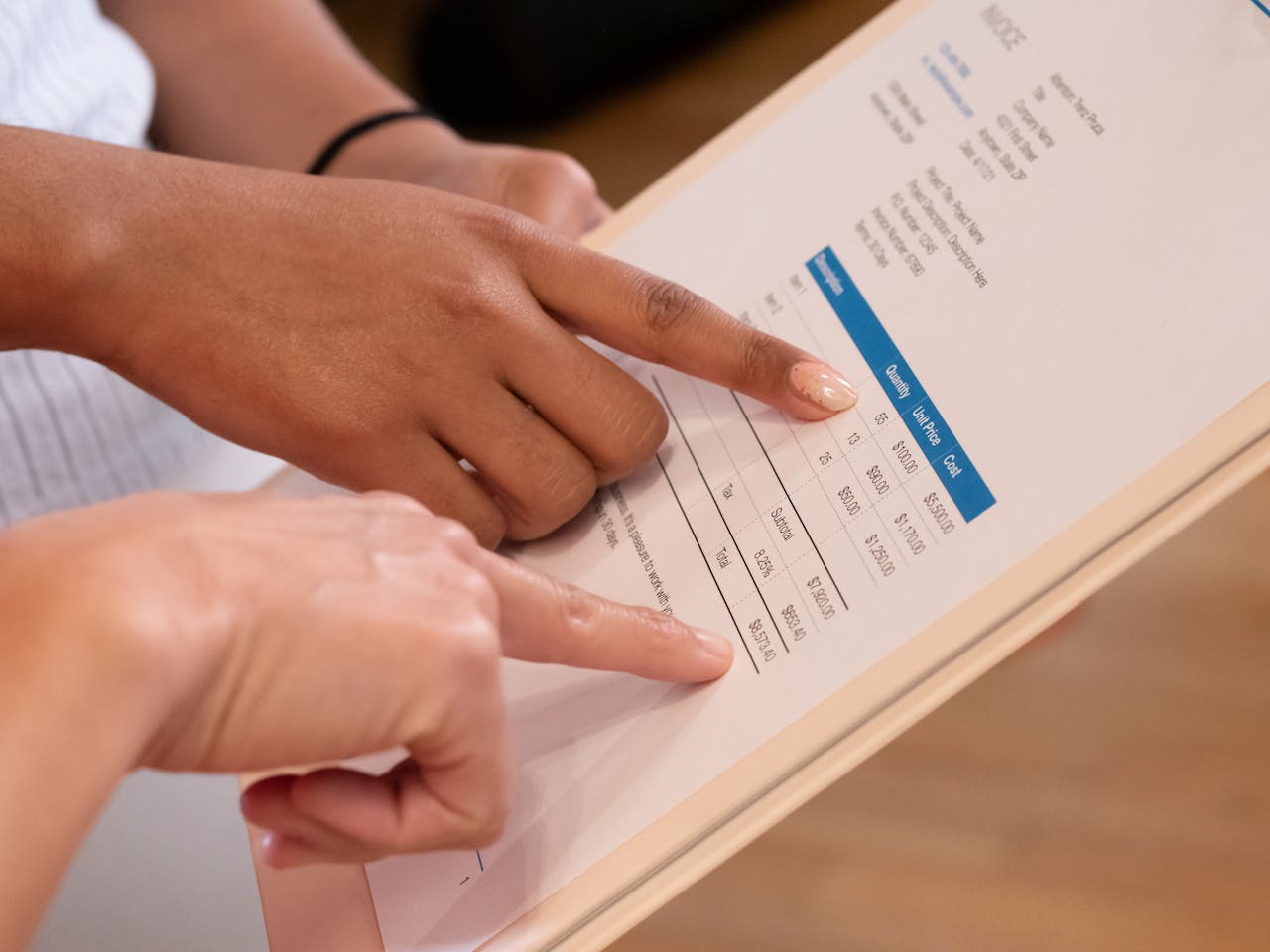
A freelancer invoice is simply a document that asks a client to pay for services you’ve delivered.
But a good invoice does more than ask for money. It creates clarity.
Think of it like a receipt mixed with a mini agreement. It shows:
- what work was done
- how much the client owes
- when payment is expected
For freelancers working with remote clients, invoices act as financial proof of the project.
Essential Elements of an Invoice
A professional invoice usually includes:
- Business name or freelancer name
- Client name and contact details
- Unique invoice numbering system
- Description of services
- Total amount due
- Currency
- Payment instructions
- Invoice payment terms (Net 30, Net 15, etc.)
These details form the essential elements of an invoice. Without them, confusion can creep in.
Some freelancers keep it simple. Others add logos, branding, and tax information. Both are fine as long as the invoice remains clear.
The Freelance Invoice Process (Step-by-Step)
The freelance invoice process usually follows a simple workflow.
Step 1 — Complete the Work
Before sending a bill, confirm the work has been delivered and accepted.
For hourly work, track time carefully. For fixed jobs, confirm milestones.
Step 2 — Create the Invoice
If you’re wondering how to create invoice for freelance work, start with these details:
- project name
- service description
- hours worked or milestone completed
- total cost
This forms the core of the freelancer billing process.
Step 3 — Send the Invoice
Now comes the actual freelancer payment request.
You can invoice clients online through:
- invoicing software
- payment platforms
- email with PDF invoices
Step 4 — Politely Request Payment
Many freelancers struggle with how to request payment from clients without sounding awkward.
A simple email works:
Hi John Wick,
I’ve attached the invoice for the completed project. Please let me know if you need anything else.
Short. Professional. Clear.
That’s the basic freelancer payment workflow.
How Freelancers Bill Clients on Major Platforms
Freelance marketplaces simplify payments. Each platform uses its own system.
Let’s look at how they work.
How to Invoice Clients on Upwork
The Upwork invoicing process is mostly automated.
Freelancers usually don’t send manual invoices.
Instead, the Upwork freelancer payment system handles billing.
Upwork Hourly Contract Billing
With hourly contracts:
- Time is tracked using the Upwork app
- Hours automatically generate invoices
- Clients review weekly reports
This system is known as Upwork hourly contract billing.
Upwork Fixed Price Milestone Payments
For fixed projects:
- Clients fund milestones
- Freelancers submit work
- Payment is released after approval
This is the Upwork fixed price milestone payments model.
One advantage? Upwork billing protection, which helps ensure freelancers get paid for tracked work.
How to Invoice Fiverr Clients
Fiverr works differently.
On Fiverr, freelancers don’t manually invoice clients.
Instead, the Fiverr payment system processes orders automatically.
Fiverr Order Payment Process
Here’s how it works:
- Client places an order
- Payment is held by the platform
- Freelancer completes the work
- Payment is released after delivery
These Fiverr freelancer payments are typically cleared after a waiting period.
In simple terms, how Fiverr pays freelancers is through order completion rather than invoices.
How Toptal Freelancers Invoice Clients
Toptal operates at a higher-end freelance level.
The Toptal billing system manages most of the payment process.
Freelancers usually log hours or project deliverables through the platform.
Payments follow a regular Toptal freelancer payment schedule, often weekly or bi-weekly.
This structured Toptal freelancer payment process means freelancers rarely chase invoices.
How to Invoice on Freelancer.com
Freelancer.com uses milestone funding. The Freelancer.com milestone payment system works like escrow.
Here’s the typical Freelancer.com freelancer billing process:
- Client funds milestone
- Freelancer submits work
- Freelancer sends Freelancer.com payment request
- Client releases funds
This system protects both sides.
How to Invoice Clients on Guru
Guru offers a payment protection system called SafePay.
The Guru SafePay invoicing model holds funds until work is completed.
The Guru billing system allows freelancers to send payment requests after milestones.
Freelancers simply submit a Guru freelancer payment request, and the client approves it.
How to Invoice Clients from LinkedIn or Direct Projects
Now here’s where things get interesting.
When you find clients through networking or referrals, there’s no built-in billing system.
You handle everything yourself.
This includes:
- invoicing clients from LinkedIn projects
- sending invoices to direct clients
- managing freelancer invoice for direct projects
For example, a freelancer who meets a client on LinkedIn may complete a consulting project and then send a professional invoice through email.
This is called invoicing private clients.
When working internationally, you may also need to consider international freelancer payments.
Best Way to Invoice Freelance Clients Online
Thankfully, invoicing tools make this much easier.
Freelancers now rely on:
- online invoice generators
- freelance billing software
- digital billing platforms
These tools help create invoice online free in just a few minutes.
Popular Options Freelancers Use
Some common tools include:
- Invoicegeneratorpro.io
- QuickBooks
- PayPal invoicing
- Stripe billing
- Notion templates
You’ll also find many free invoice generators for freelancers.
Other useful tools include:
- simple invoice maker
- PDF invoice generator
- professional invoice builder
- automated invoice generator
- online billing tool for freelancers
Many freelancers even use downloadable invoice templates for quick billing.
The goal is simple: create invoices quickly and track payments easily.
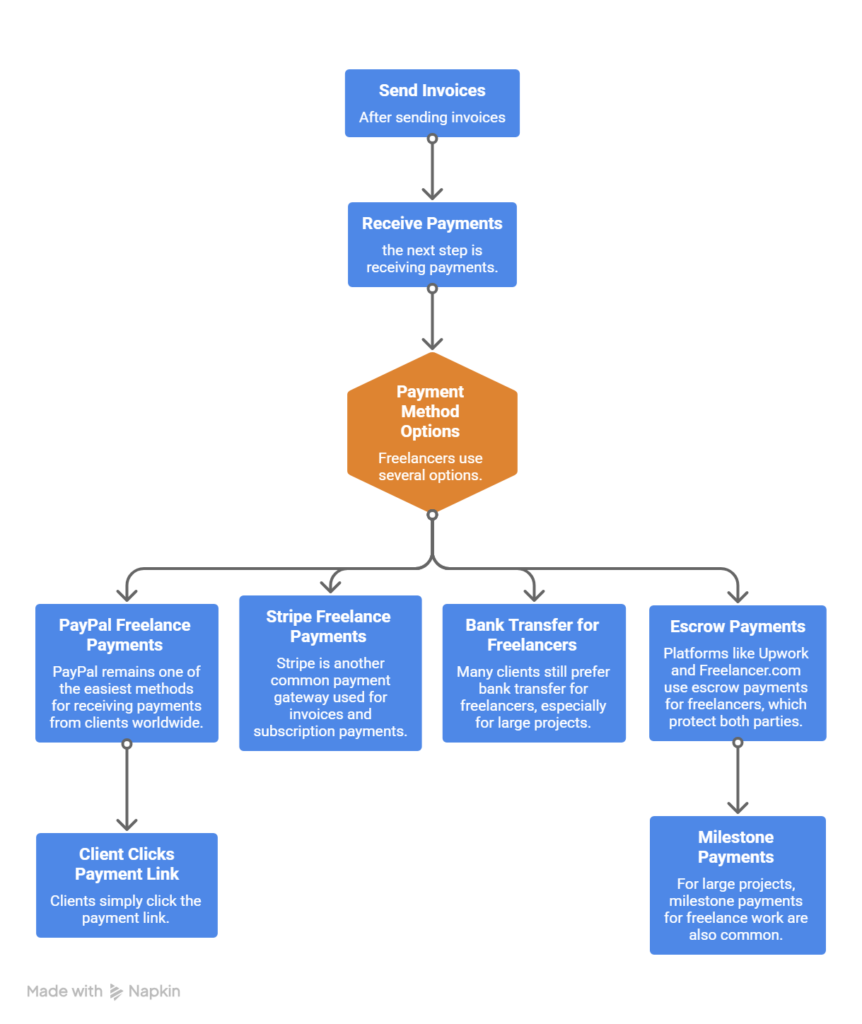
Payment Methods Freelancers Use
Avoiding Late Payments
Late payments happen. Even good clients forget sometimes.
A few habits can reduce the risk.
Set Clear Invoice Terms
Define invoice terms and payment conditions clearly.
Common options include:
- Net 7
- Net 15
- Net 30
These terms tell the client when payment is expected.
Track Your Invoices
Freelancers should always track freelance invoices and payments.
Many invoicing tools automatically show:
- paid invoices
- pending invoices
- overdue invoices
Use Payment Agreements
A freelancer payment agreement can also reduce misunderstandings.
What If a Client Doesn’t Pay?
It happens occasionally.
When a client delays payment, stay calm and professional.
First Reminder
Send a polite follow-up.
Many freelancers ask how to remind client about invoice without sounding pushy.
A short email works:
Just a quick reminder regarding the invoice sent last week.
Second Reminder
If payment remains overdue, send a stronger message explaining the due date.
This helps handle overdue invoices.
Protect Yourself
To avoid problems later:
- confirm milestones
- use contracts
- request partial upfront payments
These simple freelancer payment protection tips reduce disputes.
Final Thoughts
Freelancers often focus heavily on finding clients.
But managing payments is just as important.
Learning how to invoice a client for freelance work step by step helps you run a smoother business.
Platforms like Upwork or Fiverr simplify payments. Direct clients require a bit more organization.
Still, once you understand the freelancer billing system, everything becomes easier.
Clear invoices lead to faster payments.
Clear payment terms build trust.
And honestly? Getting paid smoothly feels pretty good after delivering great work.

Akbar Ali is the Founder of InvoiceGeneratorPro.io, a platform dedicated to helping freelancers, small businesses, startups, agencies, and entrepreneurs create professional invoices quickly and efficiently. With years of experience in digital business, SEO content strategy, and online entrepreneurship, he focuses on developing practical tools and educational resources that simplify invoicing, payment management, and financial documentation.As a business writer and digital entrepreneur, Akbar creates in-depth guides, industry insights, and actionable content covering invoicing, freelancing, accounting basics, business finance, taxation, productivity, and payment solutions. His goal is to make complex financial processes easy to understand while helping professionals save time and present their businesses more professionally.Through InvoiceGeneratorPro.io, he continues to build reliable, user-friendly solutions that empower businesses worldwide to streamline their billing workflows and improve financial organization.
Akbar Ali