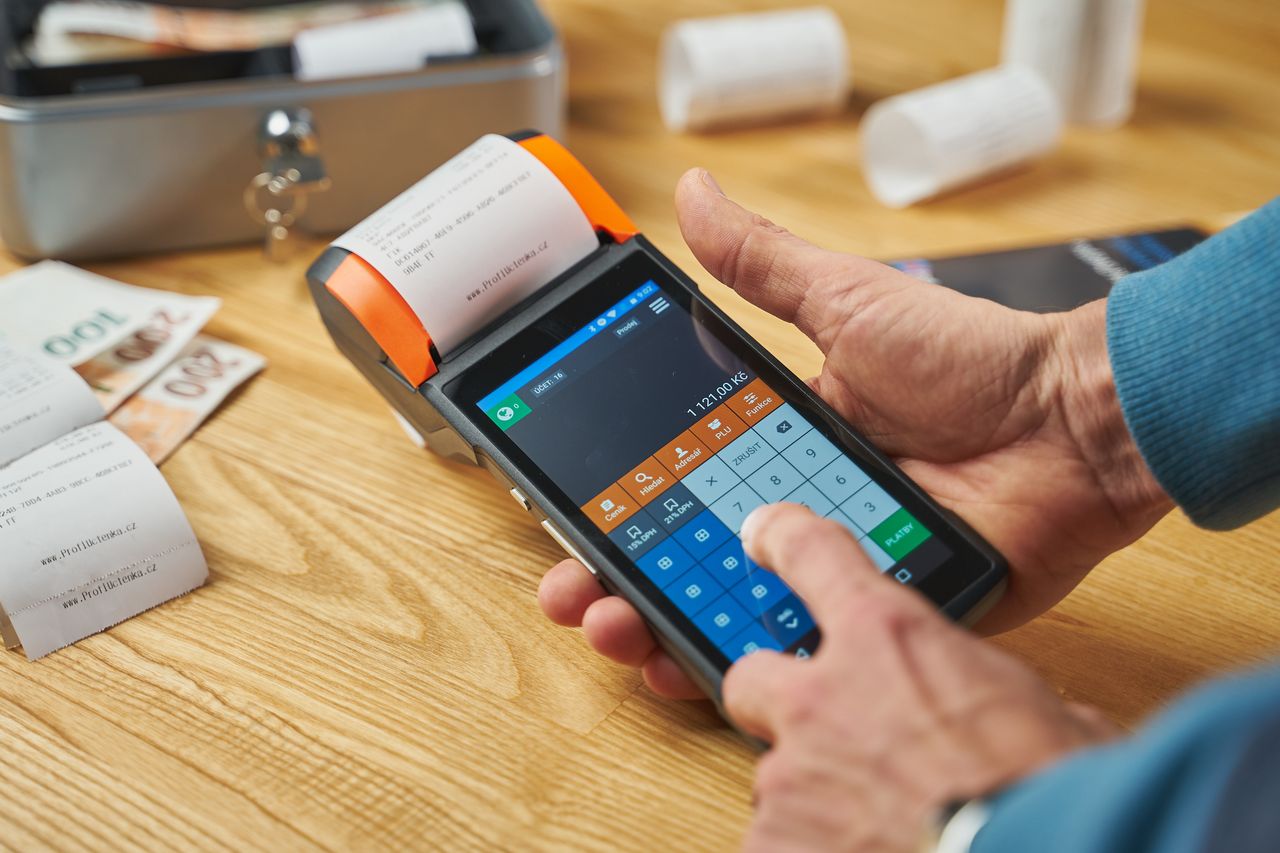
Managing invoices is more than creating a document and emailing it to a customer. A reliable invoice management system helps a business organize what it has billed, identify outstanding payments, maintain financial records, and retrieve transaction information when it is needed later.
For a freelancer sending a few invoices each month, this may seem straightforward. As the number of customers, projects, currencies, and transactions increases, however, manual invoice management becomes harder to maintain. Files can end up scattered across folders, invoice numbers can become inconsistent, and payment information can become difficult to trace.
The solution does not necessarily require expensive accounting software.
For many freelancers, contractors, consultants, and small businesses, a free invoice generator combined with organized record keeping can provide a practical starting point. Larger businesses may eventually require dedicated invoicing, accounting, or accounts-receivable software.
The important question is not simply whether an invoice tool is free. It is whether the system provides the functions your business actually needs.
This guide explains what invoice management systems do, which features matter, how free tools compare with accounting software, how to organize invoice records, what to consider when billing internationally, and when a basic invoice generator may no longer be enough.
What Is an Invoice Management System?
An invoice management system is a process or software solution used to create, organize, send, monitor, and retain business invoices.
The simplest system could consist of a free invoice generator, a folder of PDF files, and a spreadsheet showing payment status.
A more advanced system could connect invoicing with:
- Customer records
- Payment processing
- Bank accounts
- Accounting software
- Tax reporting
- Recurring billing
- Automated reminders
- Financial reporting
- Accounts-receivable management
This means “invoice management system” does not necessarily refer to one particular type of software.
The term describes the broader process of managing invoices from creation through payment and record retention.
A typical invoice management process includes:
- Creating an invoice
- Assigning an invoice number
- Recording the invoice date and due date
- Sending the invoice
- Monitoring payment status
- Following up when necessary
- Recording the payment
- Retaining the invoice and related records
A free invoice generator generally focuses on the invoice creation part of this process. Accounting and financial management platforms usually cover a much wider range of activities.
Understanding that difference prevents businesses from expecting a basic invoice generator to perform functions it was never designed to provide.
Invoice Generator vs. Invoice Management Software
These terms are closely related, but they are not interchangeable.
What Is an Invoice Generator?
An invoice generator is primarily designed to create professional invoices.
Common features include:
- Business information
- Customer information
- Invoice number
- Invoice date
- Due date
- Product or service descriptions
- Quantity
- Unit price
- Tax
- Discounts
- Total calculation
- Payment instructions
- PDF export
The main advantage is simplicity.
If you need to create a professional invoice quickly, a generator can often do the job without requiring a complete accounting system.
What Is Invoice Management Software?
Invoice management software usually provides additional functions for organizing invoices after they have been created.
Depending on the software, this may include:
- Customer databases
- Invoice history
- Payment status
- Automated payment reminders
- Recurring invoices
- Online payments
- Accounts-receivable tracking
- Financial reports
- Accounting integrations
- User permissions
- Tax-related features
- A freelancer who sends five invoices a month may not need all of these features.
A business sending hundreds of invoices may benefit from them considerably.
The right choice therefore depends on transaction volume and operational complexity rather than simply the number of features advertised.
What Should a Free Invoice Management System Include?
There is no universal list of features that every business requires. However, several capabilities are particularly important when evaluating a free invoice solution.
1. Professional Invoice Creation
An invoice should clearly communicate the financial transaction.
Depending on the transaction and jurisdiction, it may need to contain:
- Seller or business name
- Business address or contact information
- Customer name
- Customer contact information
- Invoice number
- Invoice date
- Description of goods or services
- Quantity
- Unit price
- Subtotal
- Applicable tax
- Discount where relevant
- Total amount
- Currency
- Payment terms
- Due date
- Payment instructions
Additional information may be required for particular industries or tax regimes.
The important principle is clarity.
A customer should be able to open the invoice and quickly determine who issued it, what they are being charged for, how much they owe, and when payment is expected.
2. Automatic Calculations
Manual calculations create unnecessary opportunities for errors.
Suppose an invoice contains five hours of consulting at $80 per hour and another service costing $100.
The subtotal should be calculated automatically rather than manually added every time.
Automatic calculations become even more useful when an invoice includes:
- Multiple line items
- Discounts
- Tax
- Different quantities
- Hourly billing
- Percentage-based adjustments
However, automatic calculation does not mean the invoice should be sent without review. A calculator can correctly calculate an incorrect input.
If you accidentally enter 50 hours instead of 5, the mathematical result can still be perfectly accurate. Always verify quantities, rates, tax settings, and discounts before sending an invoice.
3. Consistent Invoice Numbers
Every invoice should have a clear identifier.
Examples include:
- INV-2026-001
- INV-2026-002
- INV-2026-003
Some businesses use separate numbering sequences for different branches, projects, or entities.
The specific format is less important than consistency and traceability.
Invoice numbers help you:
- Identify individual transactions
- Match payments to invoices
- Communicate with customers
- Find records later
- Maintain bookkeeping records
- Investigate discrepancies
Avoid changing the numbering system randomly.
If one invoice is “Invoice 17,” the next is “ABC-492,” and the next is “March Bill,” tracking becomes unnecessarily difficult.
4. Due Dates and Payment Terms
The invoice should clearly communicate when payment is expected.
Common payment terms include:
- Due on receipt
- Net 7
- Net 15
- Net 30
- Net 45
- Net 60
For example, Net 30 generally indicates that payment is due 30 days from the relevant invoice date, subject to the agreement between the parties.
A specific due date is often clearer than a vague statement such as “Please pay soon.”
The payment terms should also be consistent with the agreement you made with the customer. Do not put Net 30 on an invoice if your contract says payment is due within 15 days.
5. PDF Export
PDF is widely used for finalized invoices because it generally preserves the document’s layout across different devices.
A useful invoice generator should make it easy to download or export the finished invoice.
Before sending the PDF, review:
- Invoice number
- Customer name
- Invoice date
- Due date
- Line items
- Quantities
- Prices
- Tax
- Discounts
- Total
- Currency
- Payment details
A preview is useful, but the final exported document should also be checked.
A formatting problem that appears after export can be missed if you only inspect the editing interface.
6. Customization
Businesses have different invoicing requirements. A freelancer may only need a logo and payment information.
A contractor may need materials, labor, quantities, and units. A consultant may need detailed descriptions of professional services.
Useful customization options can include:
- Logo
- Business name
- Contact details
- Brand colors
- Currency
- Tax fields
- Payment instructions
- Notes
- Terms and conditions
- Additional line-item fields
The goal is not to make every invoice visually elaborate.
The goal is to provide enough flexibility to make the document accurate, recognizable, and easy to understand.
Multi-Currency Invoice Management
International work has made multi-currency invoicing common for freelancers and small businesses.
For example, a business based in Pakistan may invoice a US customer in USD, while a European consultant may bill a UK customer in GBP.
A useful invoice system should make the transaction currency obvious.
An invoice for 1,000 should not leave the customer wondering whether the amount means USD, EUR, GBP, CAD, or another currency.
However, there is an important distinction between supporting multiple currencies and performing currency conversion.
A system may allow you to select USD, for example, without providing foreign-exchange calculations.
If currency conversion is involved, businesses may need to record:
- Exchange rate
- Conversion date
- Original transaction amount
- Converted amount
- Currency used for accounting
The appropriate treatment depends on the business’s accounting method and jurisdiction.
Do not assume that a tool’s currency selector automatically solves international accounting or tax requirements.
Tax Information and Invoice Requirements
Tax requirements vary by country, state, province, industry, and transaction type.
Depending on the circumstances, an invoice may need information relating to:
- VAT
- GST
- Sales tax
- Tax registration numbers
- Tax rates
- Tax amounts
- Exemptions
- Reverse-charge arrangements
- Customer tax information
For this reason, an invoice generator should not be treated as a tax-compliance authority.
A tool can calculate and display a tax amount, but it cannot determine whether you are legally required to charge that tax in every situation.
For example, the rules for a domestic transaction may differ from those for an international service transaction.
The rules may also depend on whether the seller is registered for a particular tax.
Use invoicing software to prepare the document, but verify the tax requirements applicable to your business.
How to Organize Invoice Records
Creating an invoice is only one part of good invoice management.
The records should also be easy to retrieve.
A simple folder structure could look like this:
Invoices
│
├── 2026
│   ├── January
│   ├── February
│   ├── March
│   ├── April
│   └── ...
│
└── 2027
Files can use a consistent naming convention such as:
INV-2026-001-ClientName.pdf
INV-2026-002-ClientName.pdf
INV-2026-003-ClientName.pdf
You can organize records by year, month, client, project, or another method that fits the business.
The important requirement is consistency.
A good filing system should allow you to find an invoice months later without remembering exactly when you sent it or searching through hundreds of unrelated email attachments.
Keep Payment Status Separate From the Invoice File
A PDF invoice tells you what was billed.
It does not necessarily tell you whether the customer actually paid.
That is why businesses should maintain payment status separately.
A basic spreadsheet can contain:
| Invoice Number | Client | Invoice Date | Due Date | Amount | Currency | Status | Payment Date |
|---|---|---|---|---|---|---|---|
| INV-001 | Client A | Jan 5 | Jan 20 | 500 | USD | Paid | Jan 18 |
| INV-002 | Client B | Jan 8 | Feb 7 | 850 | USD | Pending | — |
| INV-003 | Client C | Jan 12 | Jan 27 | 300 | EUR | Overdue | — |
Useful status categories include:
- Draft
- Sent
- Pending
- Paid
- Partially paid
- Overdue
- Cancelled
This distinction becomes particularly important when a business has many outstanding invoices.
Understanding Invoice Status
Invoice status should reflect what actually happened.
Draft: The invoice has been prepared but has not been finalized or sent.
Sent: The invoice has been delivered to the customer. This does not mean the customer has paid.
Pending: Payment remains outstanding and the invoice is not necessarily overdue.
Partially Paid: The customer has paid some, but not all, of the invoiced amount.
Paid: Payment has been received and verified.
Overdue: The payment deadline has passed while an outstanding balance remains.
Cancelled: The invoice is no longer valid for collection, according to the business’s records and circumstances.
Clear status definitions reduce confusion when reviewing outstanding balances.
Managing Unpaid and Overdue Invoices
Unpaid invoices should be handled according to a defined policy rather than memory.
The basic principle is straightforward:
Know what is outstanding, know when it became due, and communicate using the invoice information.
A payment reminder should generally identify:
- Customer
- Invoice number
- Original invoice date
- Amount due
- Due date
- Outstanding balance
- Payment instructions
For longer or repeated delays, the appropriate response depends on the contract, customer relationship, business policy, and applicable law.
If late-payment fees or interest are part of the agreement, make sure they are actually permitted and properly disclosed.
Do not add arbitrary charges simply because an invoice is overdue.
Common Invoice Management Mistakes
1. Sending Invoices Without Clear Numbers
A unique invoice identifier makes communication much easier.
“The invoice I sent last week” is ambiguous.
“Invoice INV-2026-014” is specific.
2. Using Vague Line Descriptions
“Services — $1,000” may not provide enough context.
A more useful description could identify:
- Service
- Project
- Period
- Quantity
- Milestone
- Deliverable
The level of detail should match the transaction.
3. Forgetting the Due Date
Without a clear due date, customers may not know when payment is expected.
4. Mixing Business and Personal Records
Business invoices should have a dedicated storage system.
Keeping them alongside unrelated personal documents makes later retrieval harder.
5. Treating an Invoice as Proof of Payment
An invoice documents a billing request.
It does not automatically prove that payment was received.
Payment records should be maintained separately.
6. Quietly Changing an Issued Invoice
If an invoice has already been sent and contains an error, silently replacing the old version can create record-keeping problems.
Depending on the circumstances, a business may need a corrected invoice, replacement invoice, credit note, or another appropriate document.
The correct approach depends on the transaction and applicable rules.
Invoice Management for Freelancers
Freelancers often have simpler billing structures than larger companies, but they still benefit from consistent invoice records.
Typical freelancer billing may be based on:
- Hourly work
- Fixed projects
- Milestones
- Retainers
- Deliverables
- Consulting sessions
The invoice should make the billing basis understandable.
For hourly work, the invoice may show hours and rate.
For project work, it may identify the project and agreed milestone.
For recurring retainers, it should identify the covered period.
A freelancer sending only a few invoices each month may not need a full accounting platform. A free invoice generator combined with organized storage and basic payment tracking can cover many of the practical requirements.
Invoice Management for Small Businesses
Small businesses often have more complicated requirements because they may have multiple customers, employees, products, services, and payment methods.
The volume of invoices is also an important factor.
A business issuing 10 invoices per month can manage them differently from a business issuing 1,000.
As volume increases, useful features may include:
- Customer records
- Invoice history
- Automated reminders
- Recurring invoices
- Payment tracking
- Online payment options
- Reporting
- Accounting integration
- User permissions
At that point, the business should evaluate whether a standalone invoice generator is still appropriate or whether invoicing should be integrated into a broader accounting system.
Invoice Management for Consultants and Contractors
Consultants and contractors often need more detailed billing descriptions than businesses selling standard products.
An invoice may need to explain:
- Number of hours
- Hourly rate
- Project name
- Work period
- Milestone
- Deliverable
- Materials
- Reimbursable expenses
The objective is transparency.
A customer should be able to understand how the total was calculated without requiring a separate explanation every time.
Mobile Invoice Management
Invoices are increasingly created away from traditional office environments.
A freelancer may finish work while traveling. A contractor may need to invoice from a job site. A small-business owner may need to prepare a document from a phone.
For this reason, mobile usability is more than a cosmetic feature.
A mobile-friendly invoice tool should allow users to comfortably:
- Enter customer details
- Add line items
- Edit quantities
- Enter prices
- Apply taxes
- Review totals
- Set payment terms
- Generate the final document
A website technically loading on a phone does not necessarily mean that it provides a good mobile experience.
Small input fields, horizontal scrolling, and difficult-to-use tables can make invoice creation unnecessarily slow.
Security and Privacy Considerations
Invoices can contain business and customer information that should not be handled casually.
Depending on the transaction, invoice data may include:
- Customer names
- Addresses
- Email addresses
- Phone numbers
- Business information
- Tax identifiers
- Payment instructions
- Transaction amounts
Before choosing an online invoice system, consider how the service handles that information.
Important questions include:
- Is an account required?
- Is invoice data stored online?
- How long is information retained?
- Can stored invoices be deleted?
- Can invoices be downloaded locally?
- Who can access stored information?
- How is data transmitted?
- Does the service use submitted information for additional purposes?
A browser-based tool that does not retain invoice information may be useful for users who prefer to keep documents locally, but the tool’s actual privacy policy should always be checked rather than assumed.
Free Invoice Generator vs. Full Accounting Software
The two categories solve different problems.
| Requirement | Free Invoice Generator | Full Accounting Software |
|---|---|---|
| Create invoices | Yes | Yes |
| PDF invoices | Usually | Usually |
| Basic calculations | Yes | Yes |
| Branding | Often | Often |
| Customer database | Sometimes | Usually |
| Payment tracking | Limited or manual | Usually |
| Recurring invoices | Sometimes | Usually |
| Expense management | Usually no | Usually |
| Bank reconciliation | No | Often |
| Financial reporting | Limited | Yes |
| Payroll | No | Sometimes |
| Advanced accounting | No | Yes |
This comparison shows why there is no single solution that is appropriate for every business.
A free invoice generator focuses primarily on billing documents.
Accounting software manages a broader financial picture.
When a Free Invoice Tool May Be Enough
A free solution can be appropriate when you:
- Send a relatively small number of invoices
- Work independently
- Have straightforward products or services
- Mainly need professional PDF invoices
- Track payments manually
- Do not need complex accounting
- Do not require extensive integrations
In this situation, paying for advanced financial features may add cost without solving an actual problem.
When More Advanced Software Makes Sense
A broader accounting or invoicing platform becomes more relevant when a business has:
- High invoice volume
- Multiple employees
- Recurring billing
- Complex customer accounts
- Automated payment reminders
- Integrated payment processing
- Detailed financial reporting
- Expense tracking
- Inventory management
- Bank reconciliation
- Multiple business entities
- Accounting integrations
At this stage, the challenge is no longer simply producing an invoice.
The business is managing accounts receivable and a broader financial operation.
Using Invoice Generator Pro for Invoice Creation
Invoice Generator Pro is designed primarily around creating professional invoices in a browser-based environment.
For users who need to prepare individual invoices without adopting a full accounting platform, this type of tool can simplify the document-creation stage.
The Professional Invoice Generator provides fields for common invoice information, line items, calculations, payment details, and downloadable invoice output.
It is important to distinguish this function from complete accounting management.
An invoice generator can help create the document.
It does not automatically replace bookkeeping, financial reporting, bank reconciliation, or every other accounting function.
That distinction helps users choose software based on their actual requirements rather than expecting one tool to solve every financial task.
A Practical Invoice Management Setup for Small Businesses
A small business does not necessarily need several expensive applications to establish a basic invoicing system.
A simple setup can consist of:
1. Invoice generator
Used to create professional invoices.
2. Organized document storage
Used to retain PDF invoices.
3. Invoice tracker
A spreadsheet can record invoice numbers, customers, amounts, due dates, and payment status.
4. Accounting system when needed
As financial activity becomes more complicated, accounting software can take over more of the record-keeping process.
This approach allows the business to increase complexity gradually rather than paying for advanced functionality before it is needed.
How to Choose a Free Invoice Management System
Before selecting a tool, consider the following questions.
How many invoices do you send?
A freelancer sending five invoices per month has very different requirements from a company sending hundreds.
Invoice volume should be one of the first factors considered.
Do you need an account?
Some systems require registration and provide online invoice history.
Others allow users to create invoices without creating an account.
An account can be useful for cloud-based history, while no-signup tools may reduce setup friction.
The right choice depends on how you prefer to manage records.
Do you need payment tracking?
Creating an invoice and tracking its payment status are different functions.
If the tool does not provide payment tracking, you can use a spreadsheet or accounting platform alongside it.
Do you bill international customers?
If you work internationally, examine:
- Currency options
- Tax fields
- Customer information
- Payment instructions
- Export format
- International transaction requirements
Do not confuse multi-currency support with complete international tax compliance.
Do you need recurring invoices?
Businesses with monthly subscriptions, retainers, maintenance contracts, or regular services may benefit from recurring invoice functionality.
If you only create occasional invoices, this feature may have little practical value.
Do you need accounting features?
If you need:
- Expense management
- Financial reports
- Bank reconciliation
- Payroll
- Inventory
- Detailed bookkeeping
then a basic invoice generator is unlikely to be enough by itself.
Can you access the system on mobile?
If you frequently work from a phone or tablet, mobile usability should be tested rather than assumed.
Can you retrieve your records?
Before committing to any system, consider how easily you can export or retain your invoices.
Your business records should not become inaccessible simply because you stop using a particular service.
What Should a Professional Invoice Look Like?
A professional invoice does not need to be visually complicated.
In many cases, simple and readable is better than highly decorative.
A good invoice should make these questions easy to answer:
Who issued it?
The seller’s business information should be clear.
Who is being billed?
The customer’s information should be identifiable.
What is the invoice?
The invoice number and date should be visible.
What is being charged?
Line items should describe the products or services.
How much is owed?
The subtotal, tax, discounts, and final amount should be understandable.
When is payment due?
The due date should be easy to locate.
How should the customer pay?
Payment instructions should be clear.
Good invoice design supports these questions instead of distracting from them.
Invoice Review Checklist
Before sending an invoice, verify:
Business name and information
Customer name and information
Invoice number
Invoice date
Due date
Product or service descriptions
Quantities
Rates
Subtotal
Tax
Discounts
Final total
Currency
Payment instructions
Relevant terms
Final PDF appearance
This final review is particularly important when invoices contain taxes, discounts, multiple line items, or international currencies.
Frequently Asked Questions
Is a free invoice management system enough for a freelancer?
For many freelancers with straightforward billing requirements, yes. A free invoice generator combined with organized records and basic payment tracking can be sufficient.
Freelancers with high invoice volumes, recurring billing, complex accounting, or extensive bookkeeping requirements may eventually need more advanced software.
Can I manage invoices without accounting software?
Yes. You can create invoices with an invoice generator and track them using a spreadsheet or another record-keeping system.
However, invoice management and accounting are not the same thing. Businesses with more complex financial requirements may need dedicated accounting software.
Should every invoice have a unique number?
A consistent invoice numbering system makes invoices easier to identify, track, and reference. The exact format can vary by business, provided the system remains organized and appropriate for applicable record-keeping requirements.
Should invoices be saved as PDFs?
PDF is a practical format for sending finalized invoices because it generally preserves the document’s layout. Businesses should retain financial records according to their applicable tax, accounting, and legal requirements.
What should I do if a customer does not pay an invoice?
Check the invoice number, amount, due date, and payment status first. If the invoice is overdue, follow your normal reminder process and provide the relevant payment information. Persistent non-payment may require additional steps based on the contract and applicable law.
Is an invoice the same as a receipt?
No.
An invoice generally requests payment for goods or services.
A receipt generally confirms that payment has been received.
They serve different purposes even though both are financial documents.
Do free invoice generators support international customers?
Some do. Look for currency options, customer and business fields, tax functionality, payment information, and appropriate export options.
However, multiple-currency support does not automatically mean that a tool handles every international tax or accounting requirement.
Do I need invoice management software if I only send a few invoices?
Not necessarily.
For low-volume invoicing, a free invoice generator, organized PDF storage, and a basic tracking spreadsheet may be enough.
More advanced software becomes useful when the volume or complexity of financial activity increases.
Final Takeaway
Effective invoice management is not primarily about buying the most expensive software.
It is about maintaining accurate, identifiable, and accessible billing records.
A good system should allow you to determine:
- What you billed
- Who you billed
- How much they owe
- When payment was due
- Whether payment was received
- Where the supporting invoice is stored
For freelancers and small businesses with straightforward requirements, a free invoice generator can handle the document-creation side of this process without the cost and complexity of a full accounting platform.
For businesses with larger volumes or more complicated financial operations, dedicated invoicing or accounting software may provide the additional automation and financial controls required.
The key is to match the software to the actual problem.
If you primarily need professional invoices, a free invoice generator may be sufficient.
If you need customer management, automated collections, expenses, financial reporting, reconciliation, and broader bookkeeping, you are looking for a more comprehensive financial system.
Start with a process that is easy to maintain, keep your records organized, and add more sophisticated software only when the business actually needs it.

Akbar Ali is the Founder of InvoiceGeneratorPro.io, a platform dedicated to helping freelancers, small businesses, startups, agencies, and entrepreneurs create professional invoices quickly and efficiently. With years of experience in digital business, SEO content strategy, and online entrepreneurship, he focuses on developing practical tools and educational resources that simplify invoicing, payment management, and financial documentation.As a business writer and digital entrepreneur, Akbar creates in-depth guides, industry insights, and actionable content covering invoicing, freelancing, accounting basics, business finance, taxation, productivity, and payment solutions. His goal is to make complex financial processes easy to understand while helping professionals save time and present their businesses more professionally.Through InvoiceGeneratorPro.io, he continues to build reliable, user-friendly solutions that empower businesses worldwide to streamline their billing workflows and improve financial organization.
Akbar Ali